
#5 Privacy Tools for Adult Browsing
Mullvad BrowserOur review.
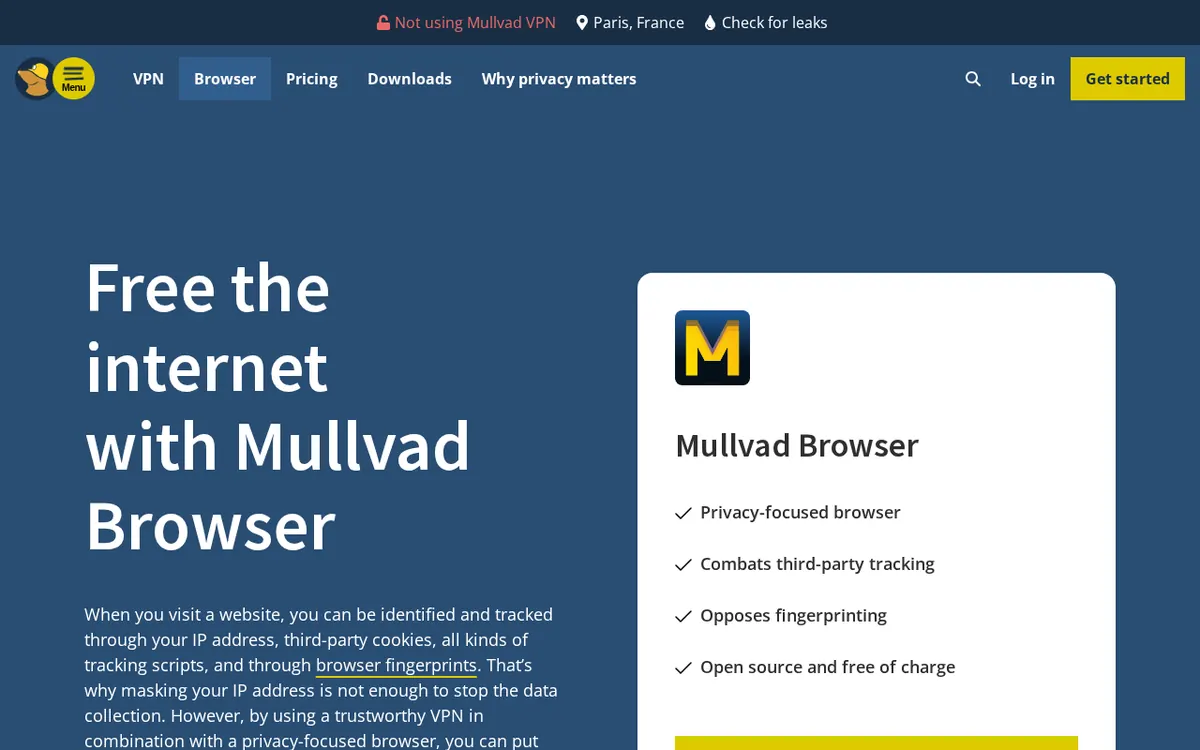
Mullvad Browser is a free desktop browser built by the Tor Project: Tor Browser-grade anti-fingerprinting without the Tor network, private mode by default, uBlock Origin built in, no telemetry. Pair it with a VPN to hide your IP.
Best for
Anyone who wants a separate, no-trace browser for adult sites that resists tracking and fingerprinting
Our take.
Pros
- Built by the Tor Project
- Free, open source, no telemetry
- Private mode by default
- uBlock Origin and NoScript built in
- Works with any VPN or without
- Windows, macOS, Linux
Cons
- Doesn't hide your IP without a VPN
- No mobile version
- English only
- Can't stay logged in, no sync
What Mullvad Browser is
Mullvad Browser is a free, open-source desktop browser developed by the Tor Project for the Swedish VPN company Mullvad. The easiest way to picture it: the Tor Browser without the Tor network. You get the same anti-fingerprinting armour the Tor Project built for journalists and activists, but your traffic goes out directly — or, better, through a VPN of your choice — so pages load at normal speed. For adult browsing, that means one simple thing: no history, no cookies left behind, and a fingerprint that looks like every other Mullvad Browser user, so ad networks and tube-site trackers have a much harder time building a profile of what you watch.
Verified facts (31 Oct 2026)
- Read today: mullvad.net/en/browser, the "hard facts" settings page, "things you should know", the Linux download page and the Mullvad Browser FAQ.
- Developer: the Tor Project, at Mullvad's request; open source.
- Price: free of charge, with or without a VPN — you don't need to be a Mullvad VPN customer. Mullvad says it earns nothing from the browser; its income comes from the VPN (Mullvad VPN costs €5/month).
- No telemetry; the FAQ answers "None" to "What data does the Mullvad Browser collect?".
- Private mode by default: no cookies or history saved between sessions; third-party cookies isolated per site during a session. Bookmarks and extension settings are kept.
- Anti-fingerprinting: Tor Browser's resistFingerprinting settings, letterboxing (the grey margins around pages), time zone reported as UTC, limited fonts, a common version and OS string.
- Blocking: uBlock Origin built in to block third-party trackers, plus NoScript; Mullvad's encrypted DNS (DoH).
- Platforms: Windows, macOS and Linux; latest version 16.0 on the download page. Not available on smartphones.
- Limits stated in the FAQ: English only, no way to stay logged in to sites between sessions, built-in password manager disabled, no Firefox Sync; extra extensions possible but not recommended.
How it works
Install it like any browser, open it, and you're already in private mode with uBlock Origin running. Close the window and the session is gone — cookies, history, logins, the lot. The browser deliberately makes every user look the same: same window sizes thanks to letterboxing, same UTC time zone, same reported version. That's the point. A normal browser in incognito mode still leaks a fairly unique fingerprint; Mullvad Browser is designed so that you blend into the crowd.
What it doesn't do is hide your IP address. Without a VPN, the site and your internet provider still see who's connecting. Mullvad is upfront about it: use it with a trustworthy VPN — its own Mullvad VPN, or Proton VPN, NordVPN and the others in our ranking.
Why it matters for adult sites
Free tube and cam sites are some of the most tracker-heavy pages on the web. Mullvad Browser gives you a dedicated, sealed-off browser for your NSFW life: your main Chrome or Safari stays clean, autocomplete never betrays you, and the next morning there's nothing in the history to explain. Add a VPN and you also hide the destination from your ISP and get around blocks. The trade-off: since nothing is remembered, you'll log back in to paid sites every time, and some sites shout about the "weird" window size.
Pricing
Free. No account, no premium tier, no ads. The only money you may spend is on a VPN to pair with it — Mullvad VPN is €5 a month flat.
Pros
- Built by the Tor Project, Tor Browser-grade anti-fingerprinting
- Free and open source, no telemetry, no account
- Private mode by default: nothing saved between sessions
- uBlock Origin and NoScript built in
- Works with any VPN, or without
- Windows, macOS and Linux
Cons
- Doesn't hide your IP on its own — you need a VPN
- No mobile version
- English only
- You can't stay logged in; password manager disabled, no sync
Who it is for
Mullvad Browser is for anyone who wants a separate, no-trace browser for adult sites and refuses to be profiled by trackers. If you just want fewer ads in your normal browser, uBlock Origin or Ghostery is simpler; for an everyday privacy browser that remembers your logins and runs on your phone, take Brave; for full Tor-network anonymity, Tor Browser. Pair it with a VPN from our best VPN for adult sites guide and compare everything in the privacy tools ranking.
Verdict
8.4/10. Mullvad Browser is the cleanest free way to keep your porn browsing off your main browser and away from fingerprinting: Tor-grade protection, zero telemetry, nothing saved. Pair it with a VPN and accept that it forgets everything — that's the whole idea.
FAQ
Is Mullvad Browser free?
Yes. It's free and open source, with or without a VPN; you don't need a Mullvad account.
Who makes Mullvad Browser?
The Tor Project developed it for Mullvad. It's essentially the Tor Browser without the Tor network.
Does Mullvad Browser hide my IP address?
No. On its own it fights tracking and fingerprinting, but your IP stays visible. Mullvad recommends using it with a trustworthy VPN.
Is Mullvad Browser available on Android or iPhone?
No. On 31 Oct 2026 it was available for Windows, macOS and Linux only (version 16.0).
Can I stay logged in to sites with Mullvad Browser?
No. Private mode is on by default, so cookies and logins are wiped when you close it. Bookmarks are kept.
Score breakdown
Analysis of public information · 2026-10-31
The source score has been retained; its rounded weighted calculation differs by 0.1.
Offer details
- mullvad.net/en/browser (31 Oct 2026): 'Open source and free of charge', free with or without a VPN; FAQ: Mullvad earns no money from the browser, income comes from the VPN (€5/month).
- Mullvad Browser download page (31 Oct 2026): Windows, macOS, Linux; latest version 16.0; FAQ: not available on smartphones, English only.
- Mullvad Browser FAQ (31 Oct 2026): collects no data, telemetry removed, private browsing by default, staying logged in between sessions not possible, built-in password manager disabled.